
The decisions stay home.
The alarm engine runs on the panel. Core alarm decisions don’t need a cloud service or a Home Assistant server.
Network-sourced sensors and connected services still need their connections.
Open by design. Yours to control.
Meet RoboAlarms. A standalone DIY alarm controller that runs its alarm logic on the panel, with clear touchscreen controls and optional Home Assistant integration.
DIY software · Hardware sourced separately
No RoboAlarms subscription
A different starting point
For people who like to understand how their home works—and have a say in how it works next.
The alarm engine runs on the panel. Core alarm decisions don’t need a cloud service or a Home Assistant server.
Network-sourced sensors and connected services still need their connections.
We’re preparing the firmware for an open-source release under Apache 2.0. Development stays private until that first release; the guides and Home Assistant integration are public now.
What’s available and what’s nextChoose Away, Stay or Night. Name your zones, give people their own codes, and see what happened in one clear activity history.
See the everyday essentialsThe touchscreen and alarm controller live on the same panel. Home Assistant connects to it as an optional companion.
Supported wired or radio inputs connected to the panel.
Alarm decisions, arming controls, user codes and event history.
Alarm status and controls in your connected home.
Sensors shared through Home Assistant take a different path: they need Home Assistant and the network. Sensor support is still being validated. Check compatibility or see what happens during an outage.
Made for the everyday
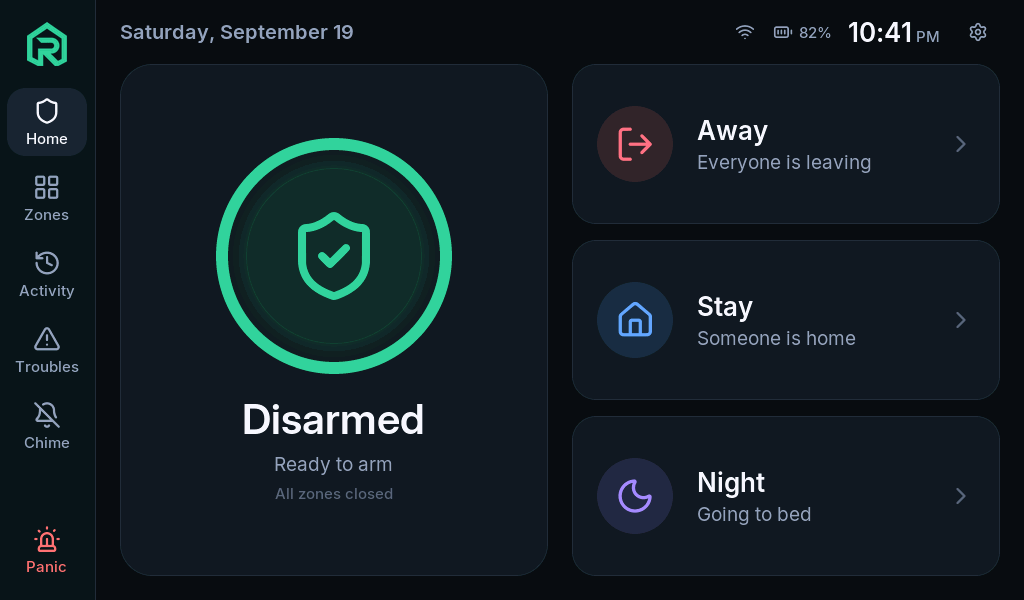
A familiar touchscreen. Clear words. Useful details when you need them. Take a look inside the real interface.
Current development interface · Captured from the real panel software running on a computer with example data.
Beyond the touchscreen
Two tools make the panel easier to install, configure and understand—at your workbench and around your home.
A guided path from a new board to a working panel. Choose your connected parts, see the wiring, back up the board, install the firmware and test the result.
In development for the first public release, with Windows as the initial focus.
Explore the FlasherSee and control the actual touchscreen in your browser—even to walk someone through their panel while you’re on the phone. Manage people, zones, settings and activity in the same place.
Connect over your local network or an existing VPN, with access based on your account. Home Assistant is optional.
Explore Panel ManagerPart of your connected home
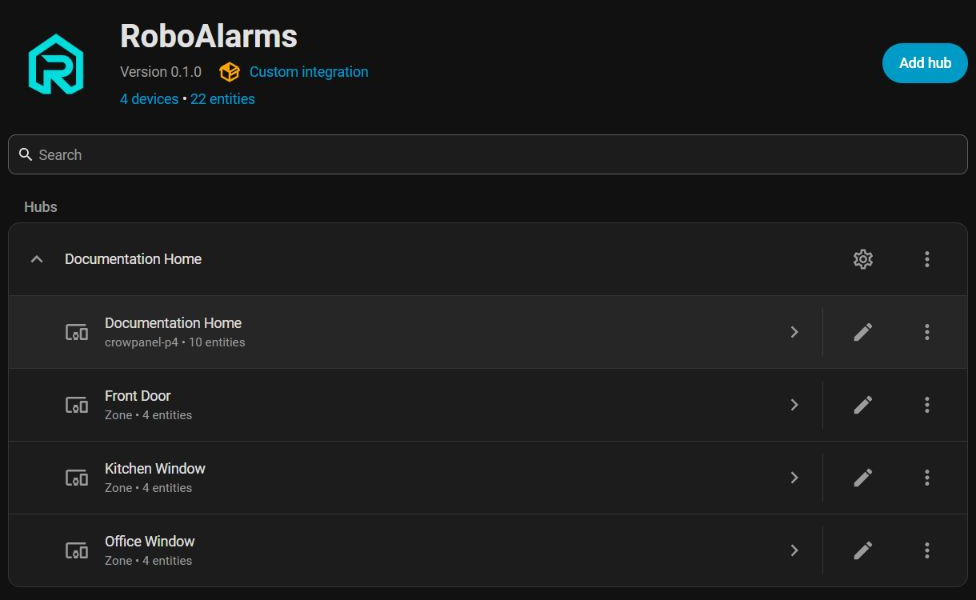
Bring alarm status, zone states and events into Home Assistant through the optional RoboAlarms custom integration.
Pairing and status verified on development hardware. Broader acceptance testing is ongoing.
Open software. Your hardware.
Development starts on the Elecrow CrowPanel Advanced 7-inch display, powered by the ESP32-P4 and ESP32-C6. You source compatible hardware separately; RoboAlarms doesn’t sell panels, kits or sensors.
See what goes into a buildSoftware limits in the current P4 build, not physical inputs. Sensor support and hardware validation are still evolving.
I started RoboAlarms out of frustration with monthly subscriptions and features behind paywalls. I wanted an alarm that runs locally, works with Home Assistant, and gives me control over how it works.
I’m a professional software developer with more than 20 years of programming experience. I’m building this with my dad, who brings 50 years of experience in electrical engineering and the alarm industry.
I use AI to help with development, alongside hands-on coding, code review and testing. I can jump into the code, investigate a problem and change the implementation myself. The engineering decisions and responsibility for the project stay with us.
How we’re building it
From an arming delay to a lost connection, the project checks both everyday behavior and what happens when something goes wrong.
Tests exercise arming, entry and exit delays, user permissions, sensor states, event history and recovery after simulated power loss.
Scripted checks run the real panel interface on a computer. An interactive simulator also lets us try arming, opening a door and changing sensor states.
Event-log tests simulate power loss during writes. Radio tests exercise noise and incomplete messages. The simulator can exercise network outages and power troubles.
Recorded checks include display and touch behavior, Wi-Fi, signed updates and rollback, and Home Assistant pairing. More sensor, power and accessory testing remains.
Recorded development checks · September 24, 2026. Software tests and simulated scenarios help find bugs; each hardware feature still needs its own real-world validation. The project status below distinguishes those stages.
Preparing the first release
Firmware development is private until the first public release. Here’s where the project stands, including work that still needs validation.
We plan to publish the firmware and source together under Apache 2.0. Testing continues as we prepare the release, so the timing is a target.
Check this page for release news and firmware/source links when the first version is published.
A few good questions
What you can build, what depends on a connection, and how the project is being developed.
RoboAlarms is a DIY software project. We don’t sell panels, kits, sensors or installation services. You source compatible hardware separately. The build overview explains the parts involved and links to suppliers.
Firmware development is private until the first public release, when we plan to publish the firmware and source under Apache 2.0. See the current release target. The documentation and Home Assistant integration are already public; a public integration does not mean panel firmware is available yet.
A supported panel, a suitable power supply, compatible sensors and any receiver or wiring those sensors require. An enclosure and mounting are part of your build too. Firmware installation and setup will follow with the public release. Start with the hardware guide; there is no complete ready-to-install kit.
Check the exact model and protocol. Sharing a radio frequency does not establish compatibility. The sensor compatibility table separates implemented software, testing on real hardware and future support. Native Zigbee is in development; buying an ESP32-H2 module does not enable it in the current firmware.
There is no RoboAlarms subscription or paid feature tier. We plan to release the firmware as open source under Apache 2.0. You provide the hardware; optional third-party services, such as notification providers, may have their own costs.
No. The panel runs its own alarm engine, so it can operate as a standalone controller. The optional integration connects that controller to Home Assistant. You do not need a separate alarm-logic integration in Home Assistant to run RoboAlarms.
The panel’s alarm engine and controls continue to operate while the panel has power. Supported sensors connected directly to it do not depend on Home Assistant. Sensors shared through Home Assistant, along with its controls and automations, do depend on that server. Sensor sharing is still awaiting hardware acceptance testing.
The local alarm engine does not need internet access. Losing internet affects services that need it, including external notification delivery. Losing Wi-Fi or the local network also affects Home Assistant connections and network-sourced sensors. Supported local sensor inputs continue to depend on their own connection and power.
Continued operation requires suitable backup power for the panel and any other equipment your setup depends on. Battery sensing and power-saving behavior are implemented, but testing with a connected battery, including runtime and power transfer, is still pending. We do not have a verified backup-runtime figure yet. The optional DS3231 coin cell keeps the clock running; it does not power the alarm panel.
This panel contains the alarm controller as well as the touchscreen. If it loses all power or is disabled, it cannot keep running the alarm. The current build does not provide automatic enclosure-removal detection. Additional physical keypads are planned; they are not part of the current build.
The software has alarm output logic, but the hardware drivers and external-siren setup are still planned. The panel’s own sounder is separate from an external siren. We do not yet provide a validated external-siren wiring recipe; a siren needs appropriate power and driver hardware.
The project creator is a professional software developer with more than 20 years of programming experience, working with their dad, who has 50 years in electrical engineering and the alarm industry. AI assists development alongside direct code work, review and testing. The team makes the engineering decisions and takes responsibility for the implementation. Read the project story.
Recorded checks include more than 600 automated component test cases run on a PC and over 100 interface states in scripted walkthroughs. Tests cover alarm behavior and failures such as interrupted storage writes and invalid radio messages. An interactive simulator and development panels provide further checks. See the testing approach. Those checks do not establish that every sensor, accessory or installation is validated.
The first public release is the start of sharing the project. Features marked in development or planned may still be unfinished. Use the project status and compatibility information to understand what has been implemented and tested before planning a build.
No. RoboAlarms is a DIY development project, not a listed or certified alarm system. The project does not provide professional monitoring or emergency dispatch. Development testing is separate from certification.
The first release is ahead
Explore the guides and hardware while we prepare the firmware and source for release.